Risk Register
Record and score your risks, escalate the important ones for board visibility, and track treatment against your risk appetite.
How the risk register is organised
Risks live in department registers. Everyone works in their own department's register, so teams see the risks they're responsible for without the noise of the whole organisation. Risk & Compliance users see every department, and the most significant risks are escalated to a single Organisation Register for leadership.
Adding a risk — step by step
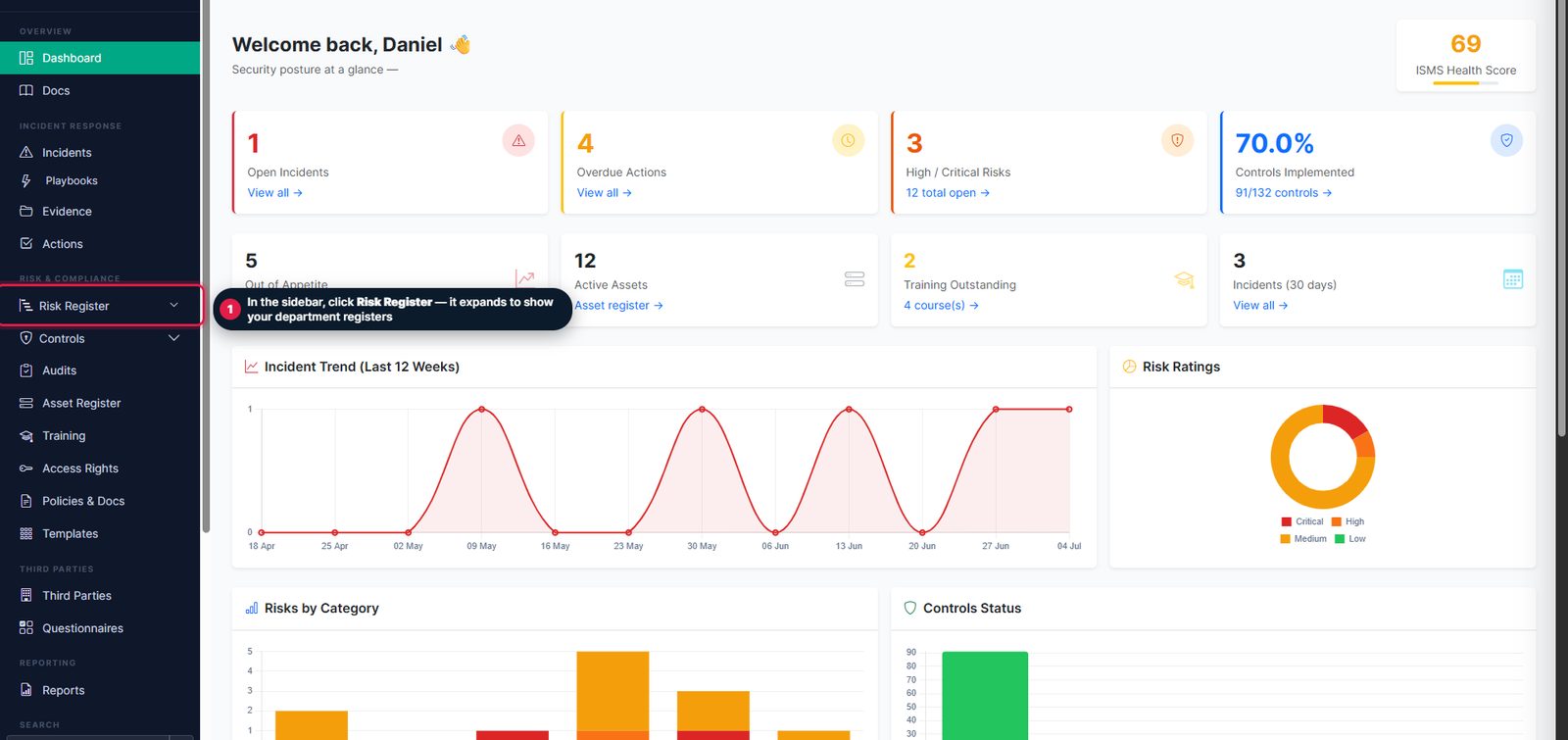
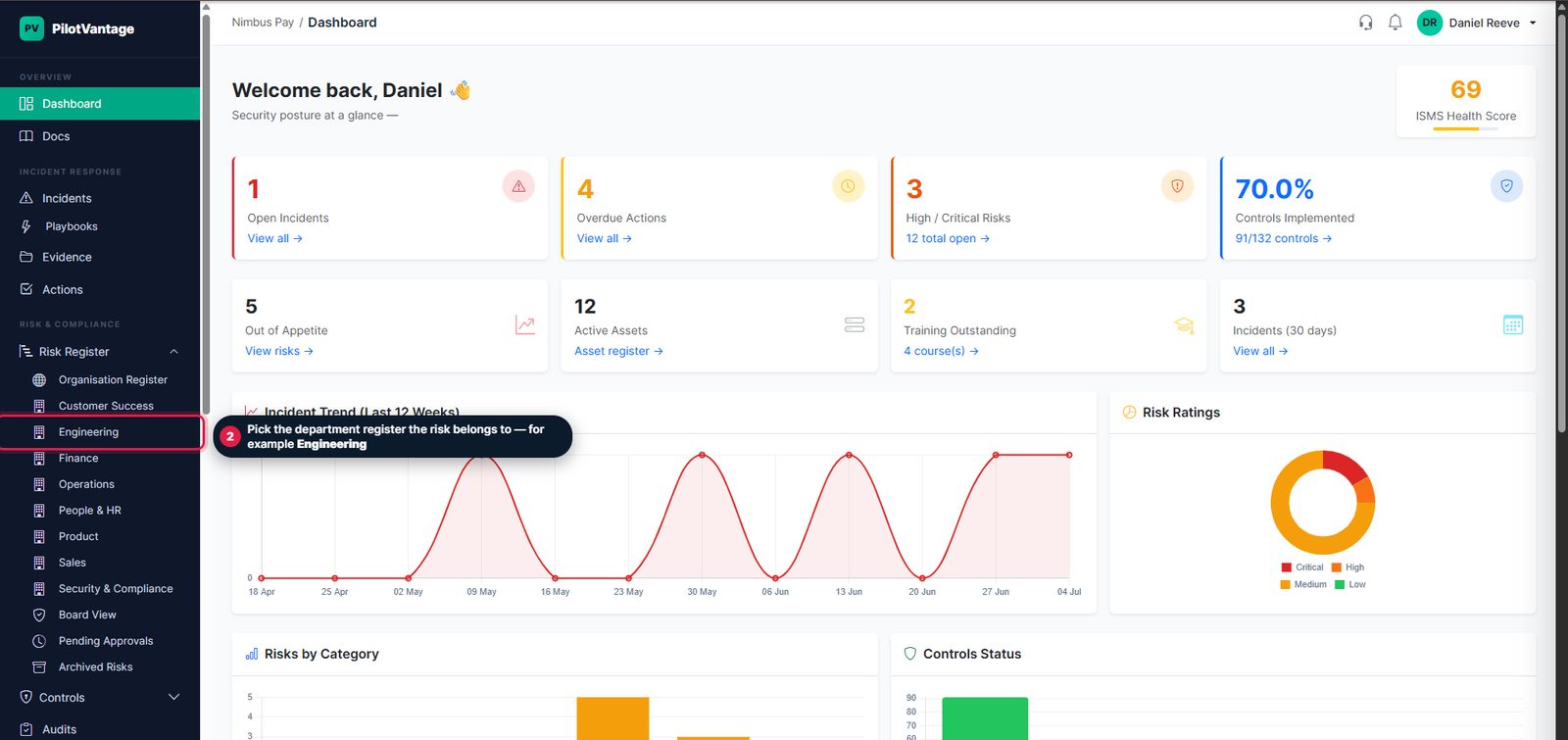
1. Open the Risk Register and pick your department
Click Risk Register in the sidebar — it expands to one register per department. Choose the register the risk belongs to.
2. Click Add Risk
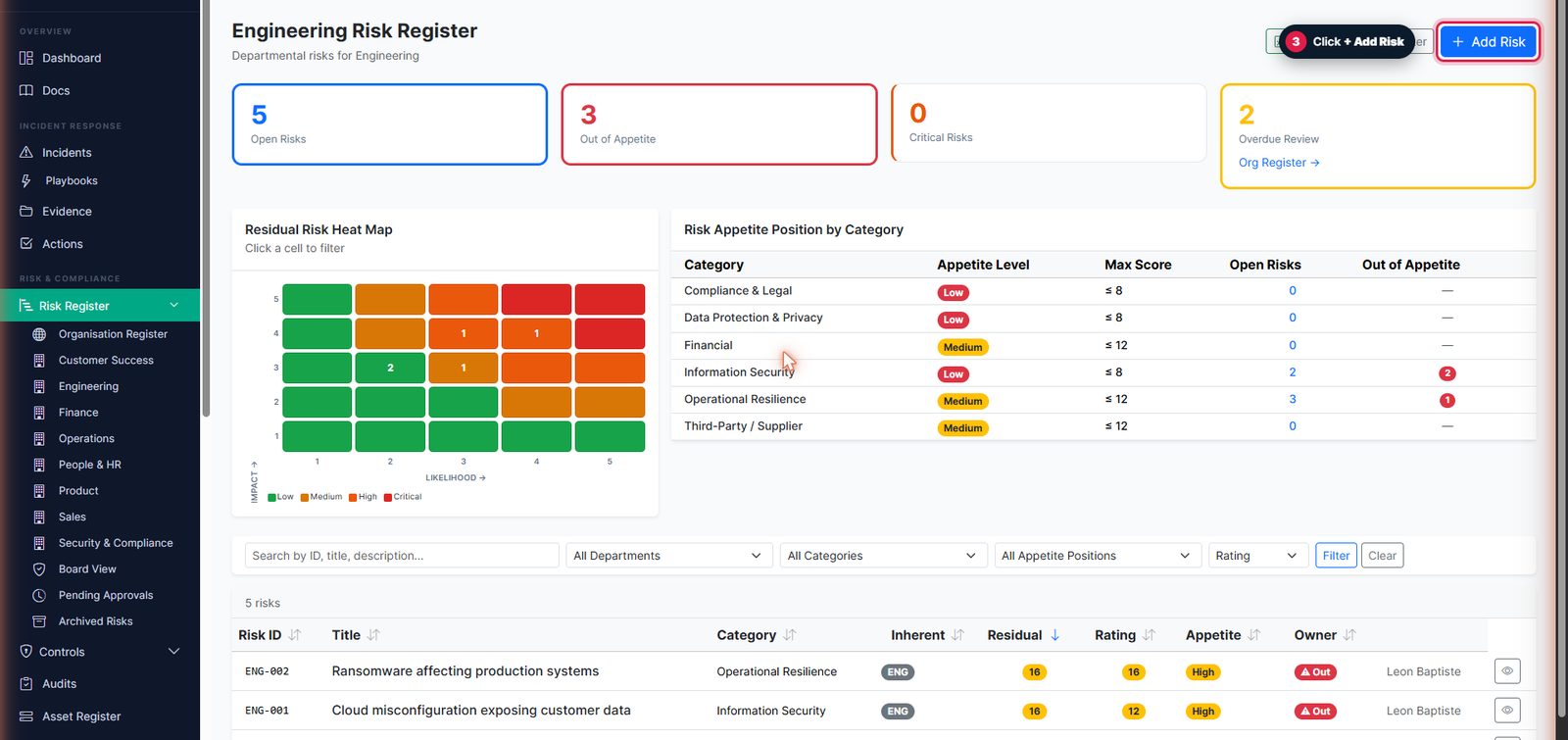
The register shows your heat map, appetite position and existing risks. + Add Risk is in the top-right corner.
3. Describe the risk
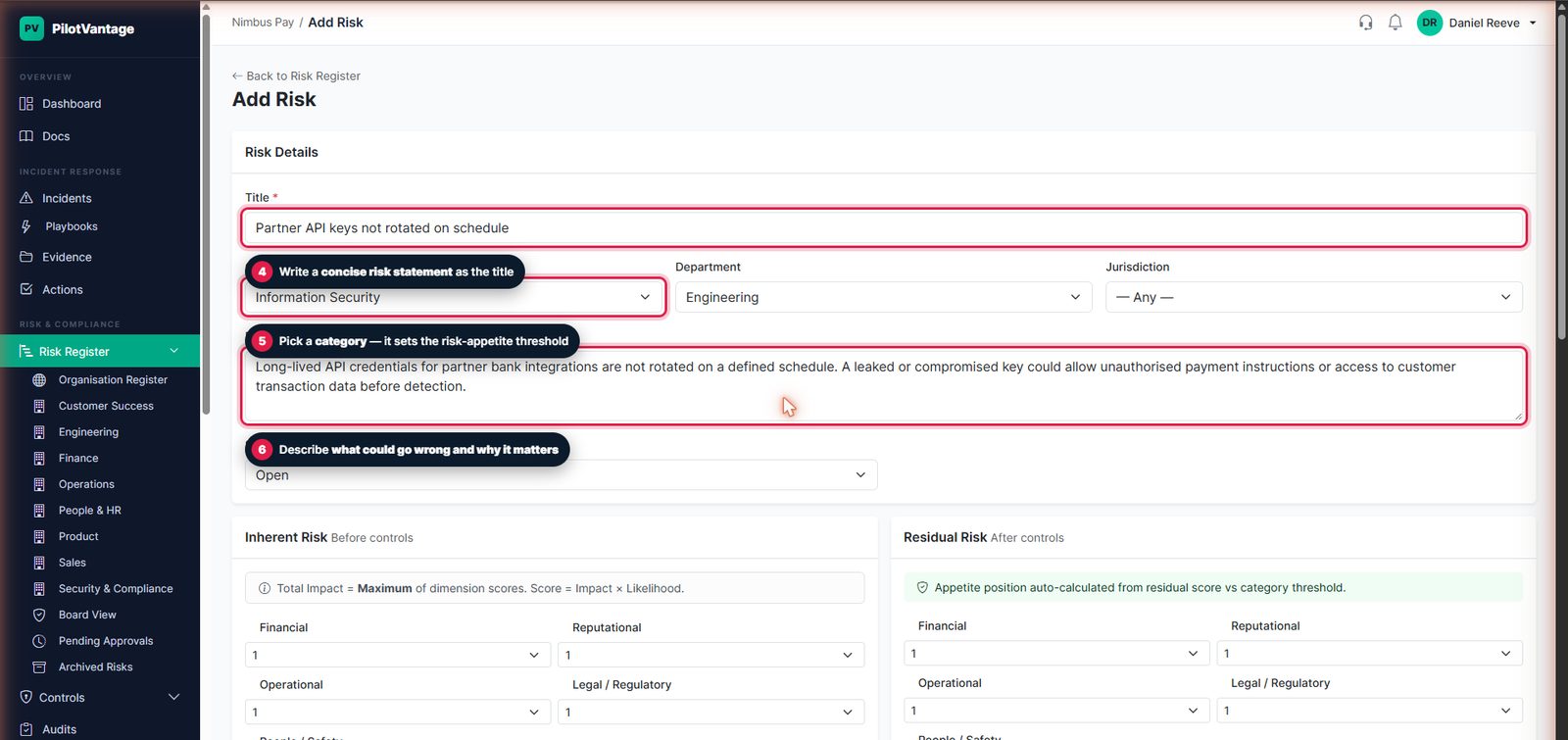
Give it a concise title, pick the category (this decides which appetite threshold applies), confirm the department, and describe what could go wrong and why it matters.
4. Score it — before and after controls
Score each impact dimension and the likelihood twice: inherent (before any controls) and residual (what's left with controls in place). PilotVantage calculates the rating and places the risk on the heat map.
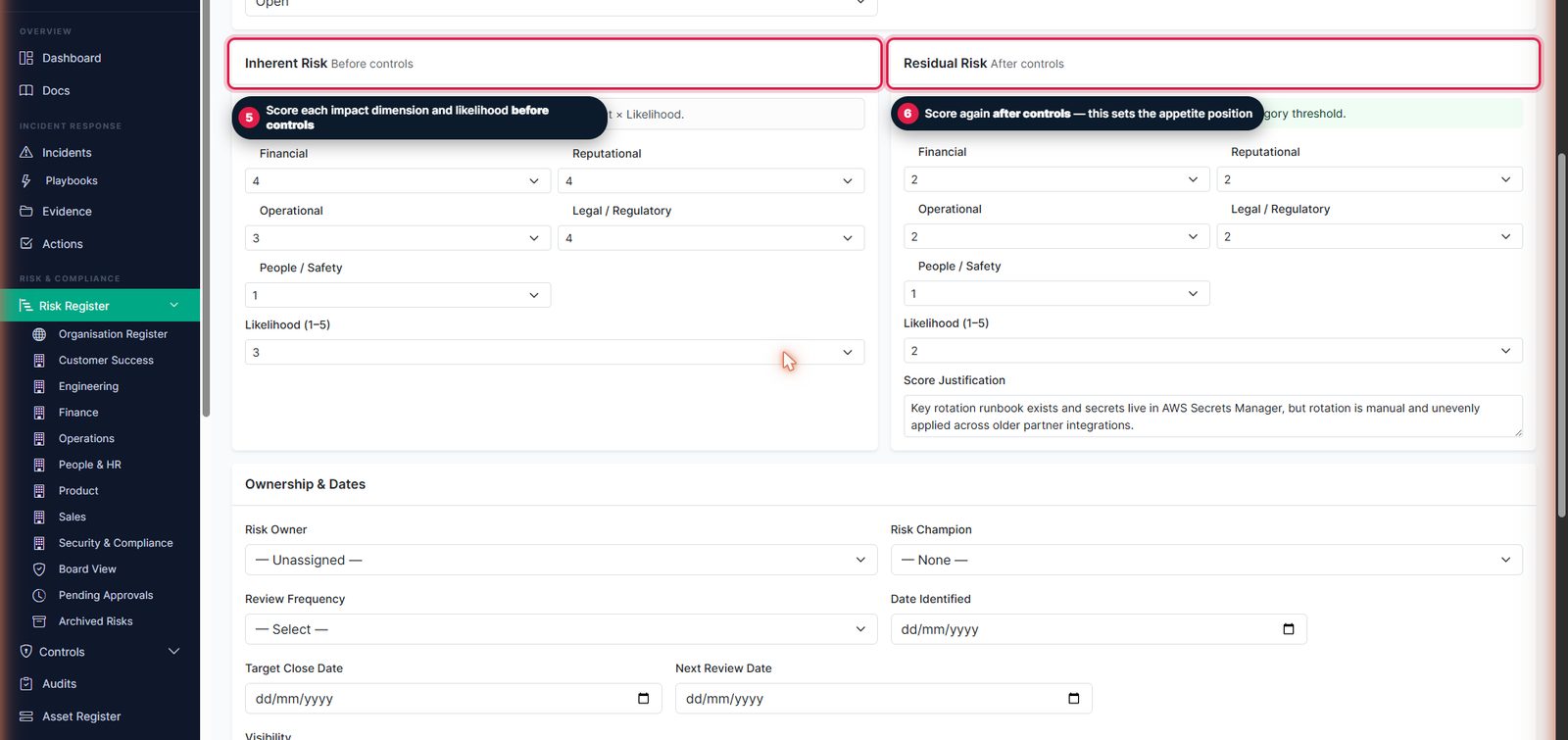
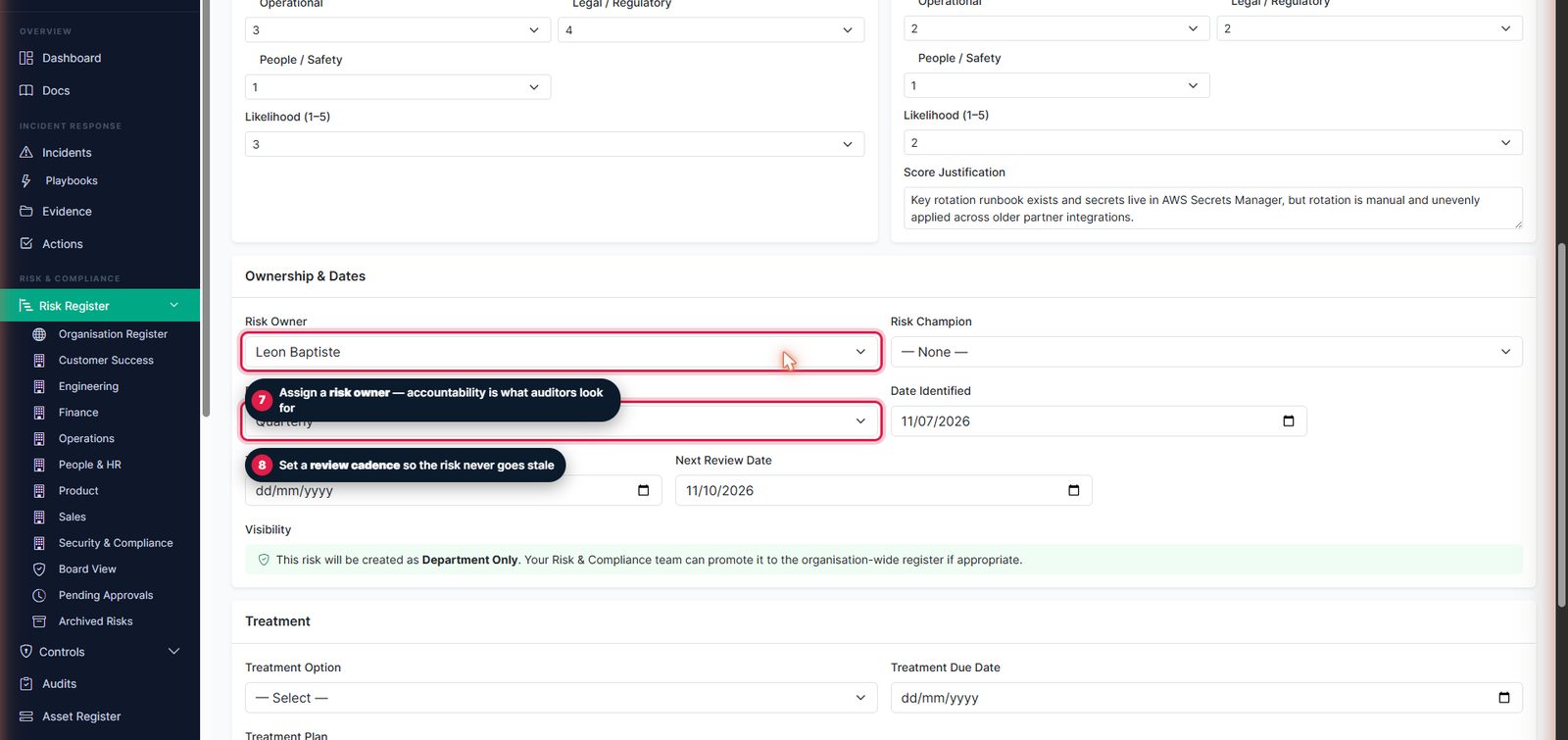
5. Assign ownership and a review cadence
Give the risk an owner and set a review frequency — overdue reviews are flagged so the risk never goes stale.
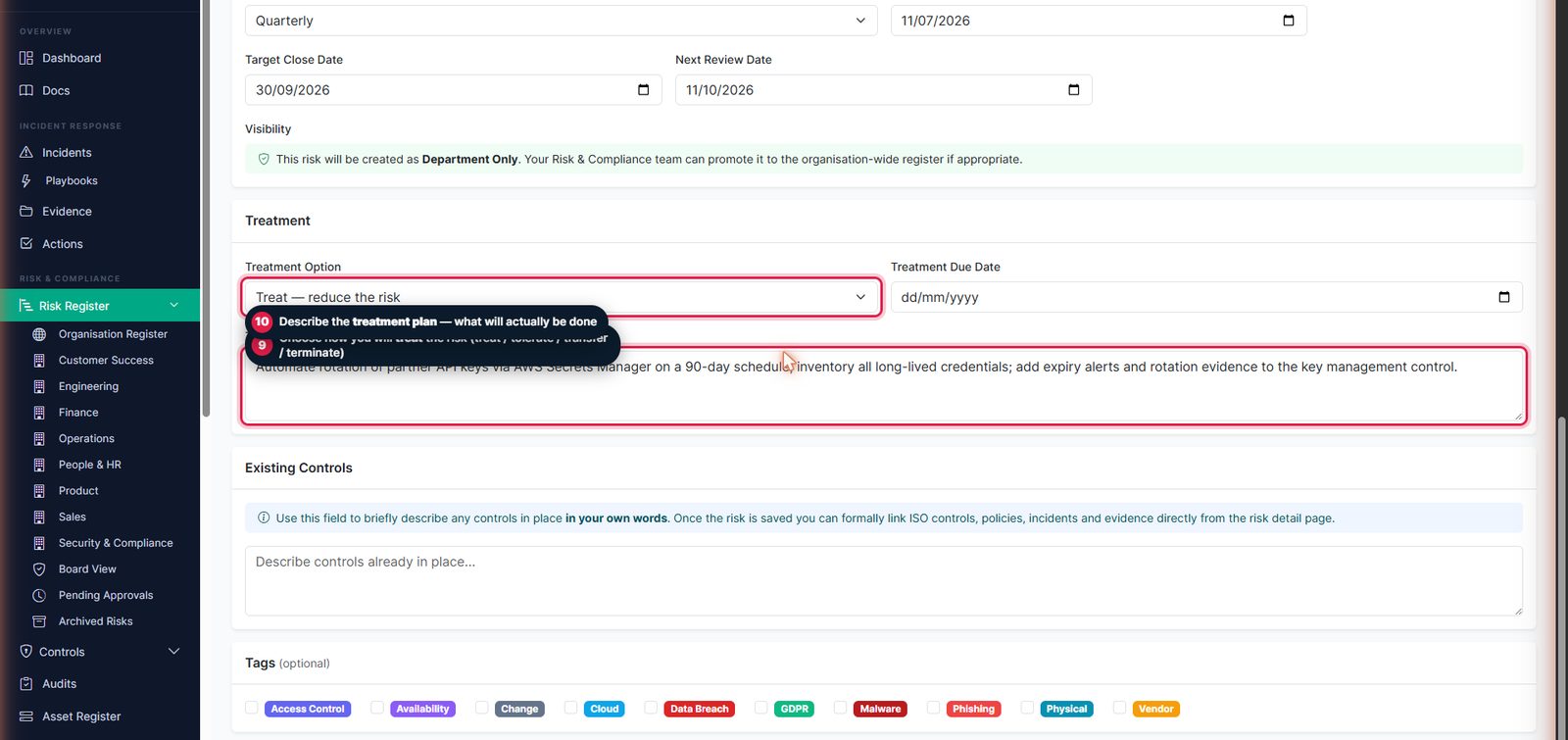
6. Record the treatment and create
Choose the treatment option (treat, tolerate, transfer or terminate), describe the plan, then click Create Risk.
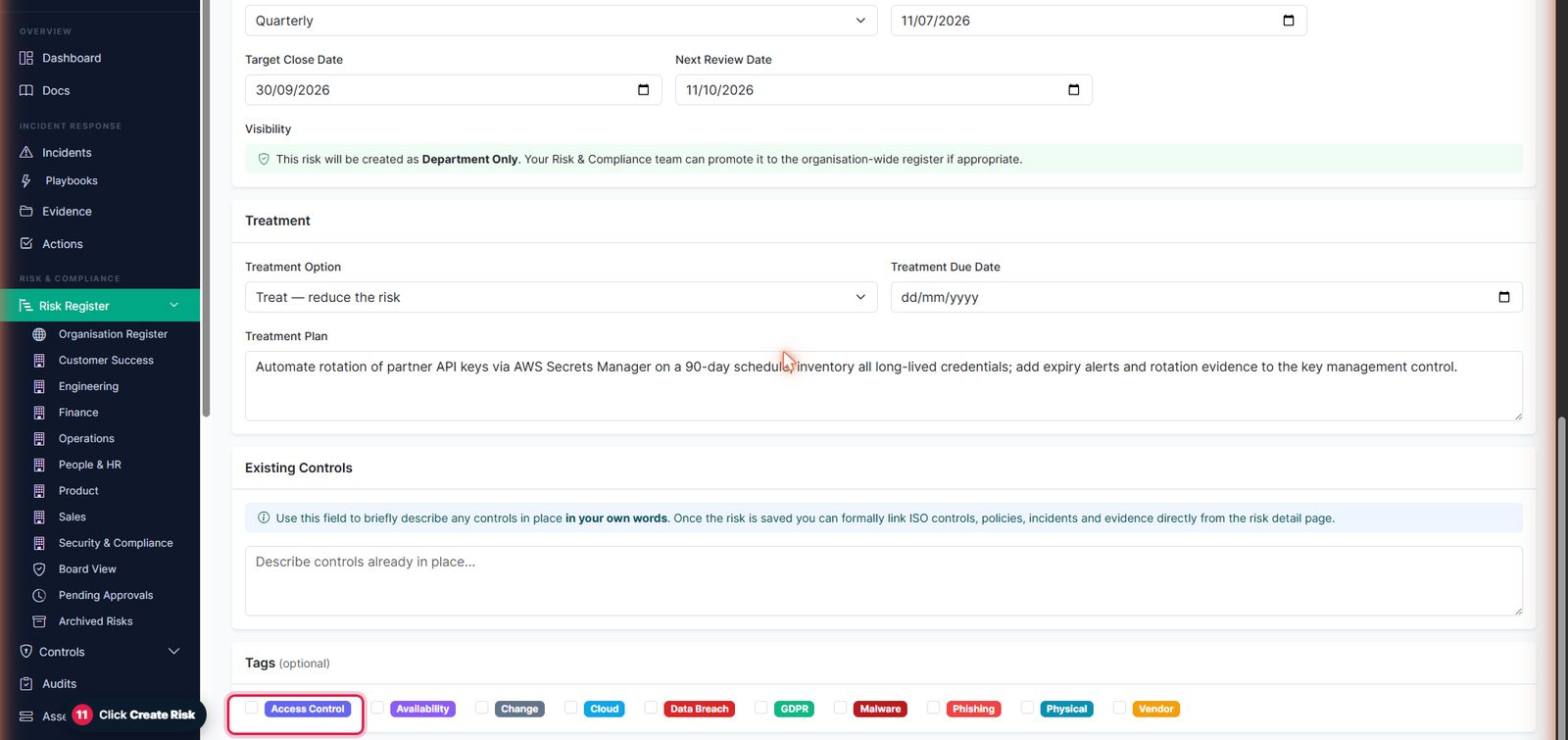
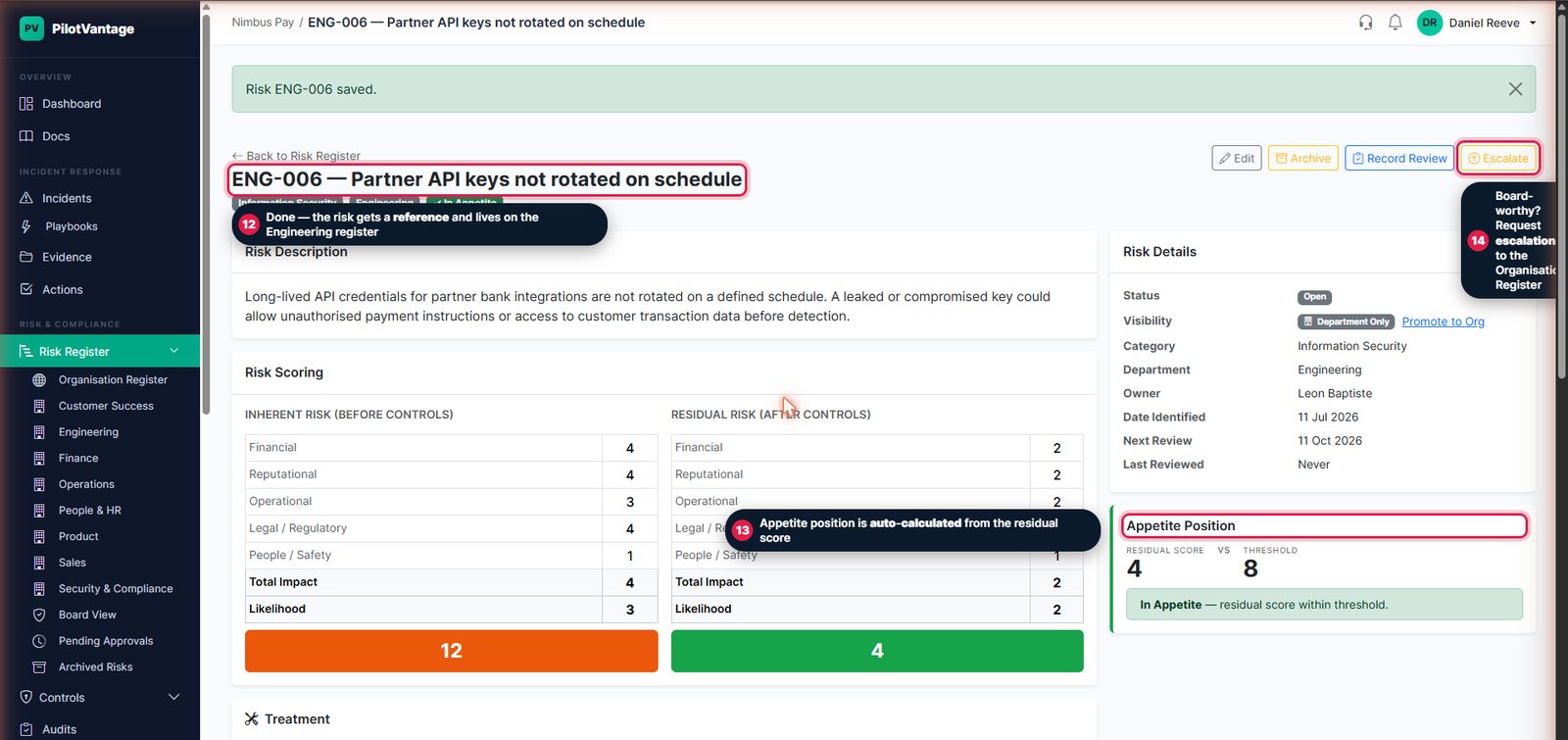
7. Done — scored, owned and on the register
The risk gets a reference and its own page, with the appetite position auto-calculated from the residual score — and an Escalate option if it warrants board attention.
Inherent vs residual risk
The inherent score is how bad the risk is before any controls. The residual score is what's left once your controls are in place. Tracking both shows how much your controls actually reduce risk — exactly what an auditor wants to see.
The heat map and risk appetite
The heat map plots every risk by likelihood and impact so you can spot your biggest exposures instantly. Your risk appetite marks the line above which a risk needs active treatment or escalation. You can tailor the scoring scale and appetite in Organisation Settings.
Escalating to the organisation register
When a risk warrants leadership attention, the owner requests escalation with a short justification. Risk & Compliance reviews it and approves or rejects with a reason. Approved risks appear on the Organisation Register and in the leadership Board View.
Rolling up across business units
In a group structure, this hierarchy extends beyond one company: departmental risks roll up into regional and business-unit registers, and each entity's most significant risks reach its board-level view — while Group Risk keeps oversight across every entity. See Multi-Entity Management for how to set this up.
Reviews and keeping risks current
Set review dates so risks are revisited on a schedule. Overdue reviews are flagged so nothing goes stale, and every change is captured in the risk's activity history for your audit trail.
Linking risks to the rest of your programme
- Link controls that mitigate each risk.
- Attach evidence that shows a control is working.
- Raise actions to close gaps, with owners and due dates.
- Pull the whole register into a PDF report for board packs and audits.