Incidents
Log security incidents and drive them through a clear, repeatable lifecycle so nothing slips through the cracks.
When something goes wrong — a phishing email, a lost laptop, a suspected breach — you raise an incident in PilotVantage and work it to a close. Every incident gets an automatic reference like INC-2026-0001, a running timeline, and a status that reflects exactly where it stands.
The incident lifecycle
Each incident moves through a defined set of statuses. You advance it one step at a time as the situation develops, and you can Reopen a closed incident if new information comes to light.
- Reported → Triaged → Investigating → Contained → Resolved → Closed
Reporting an incident — step by step
1. Open Incidents and click Report Incident
Click Incidents in the sidebar, then Report Incident in the top-right corner of the register.
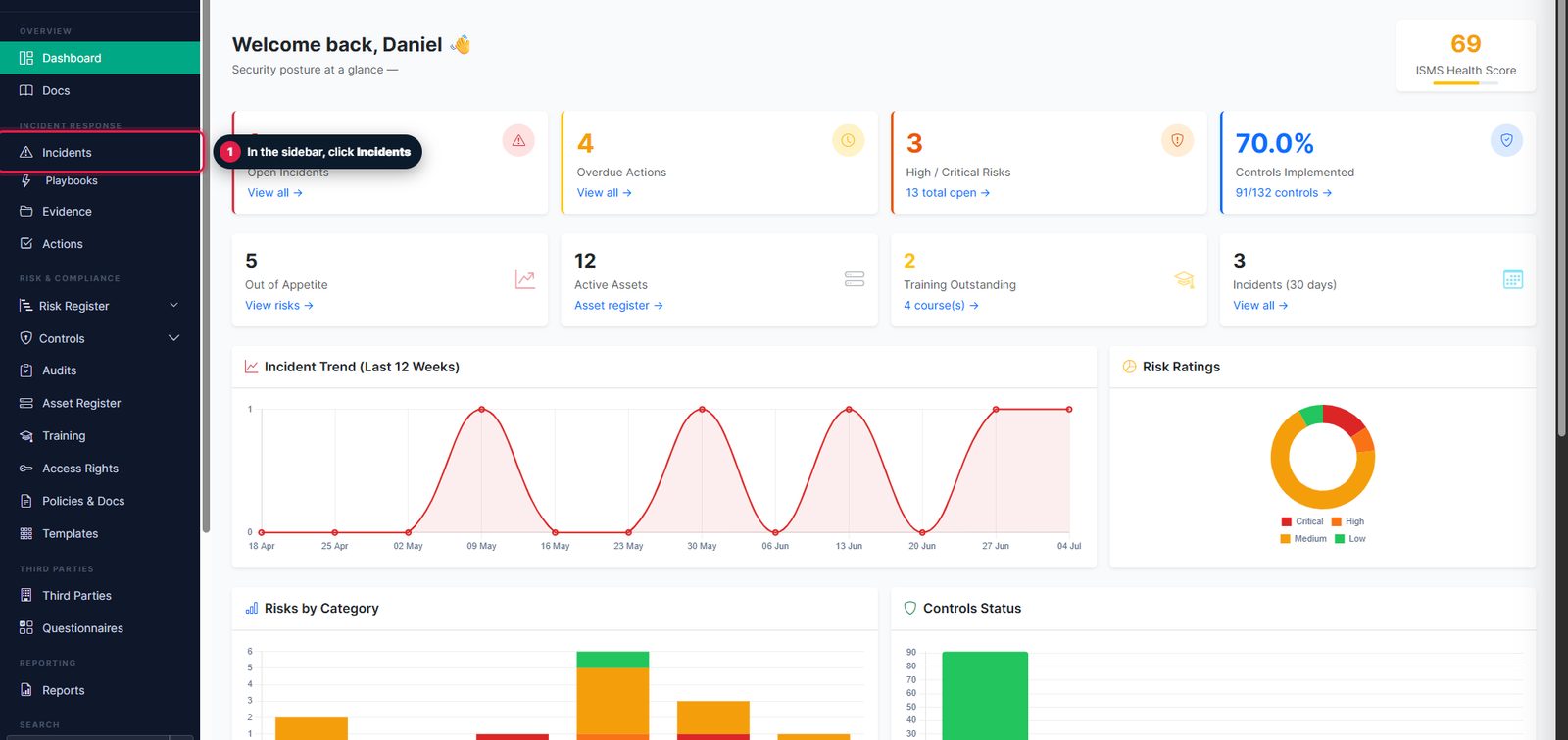
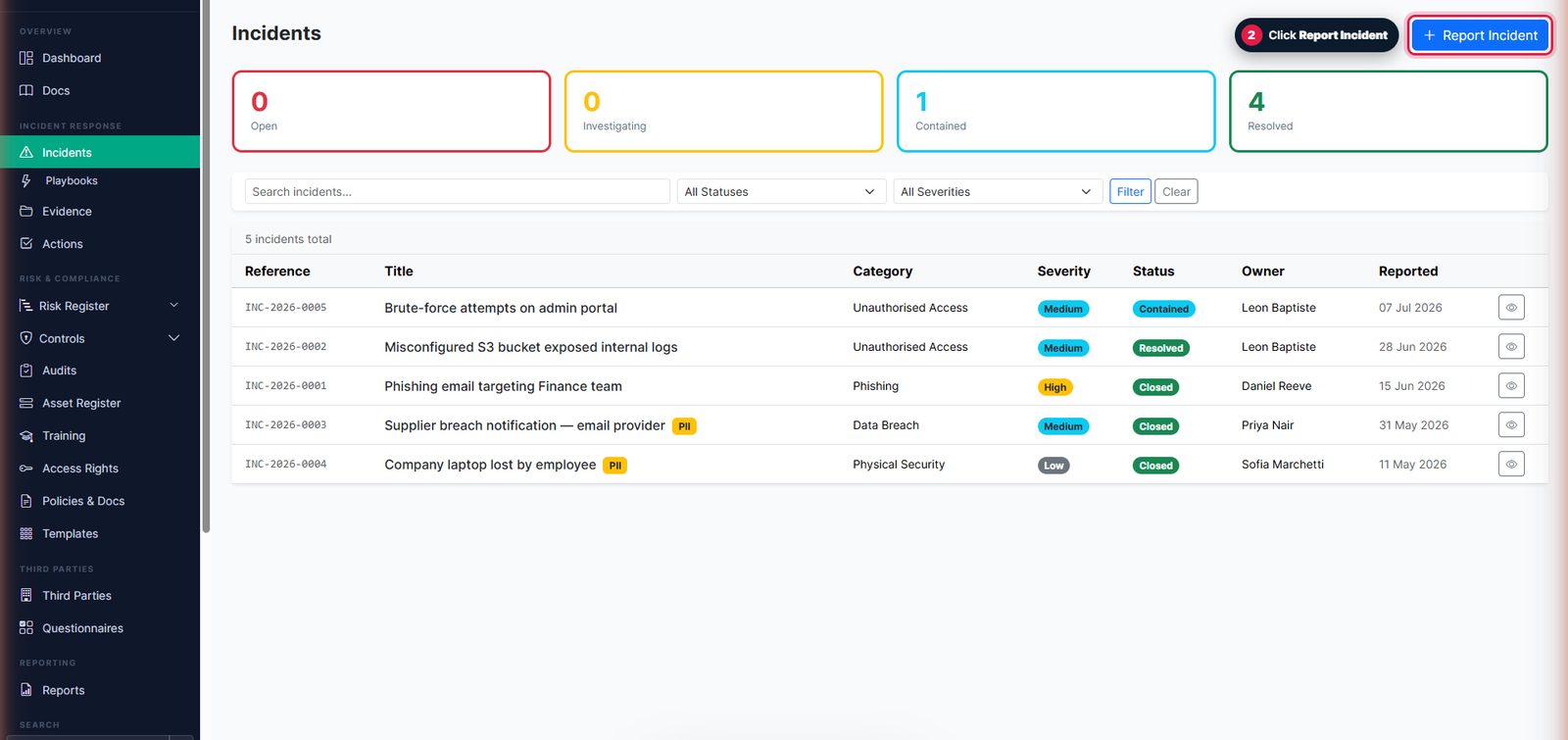
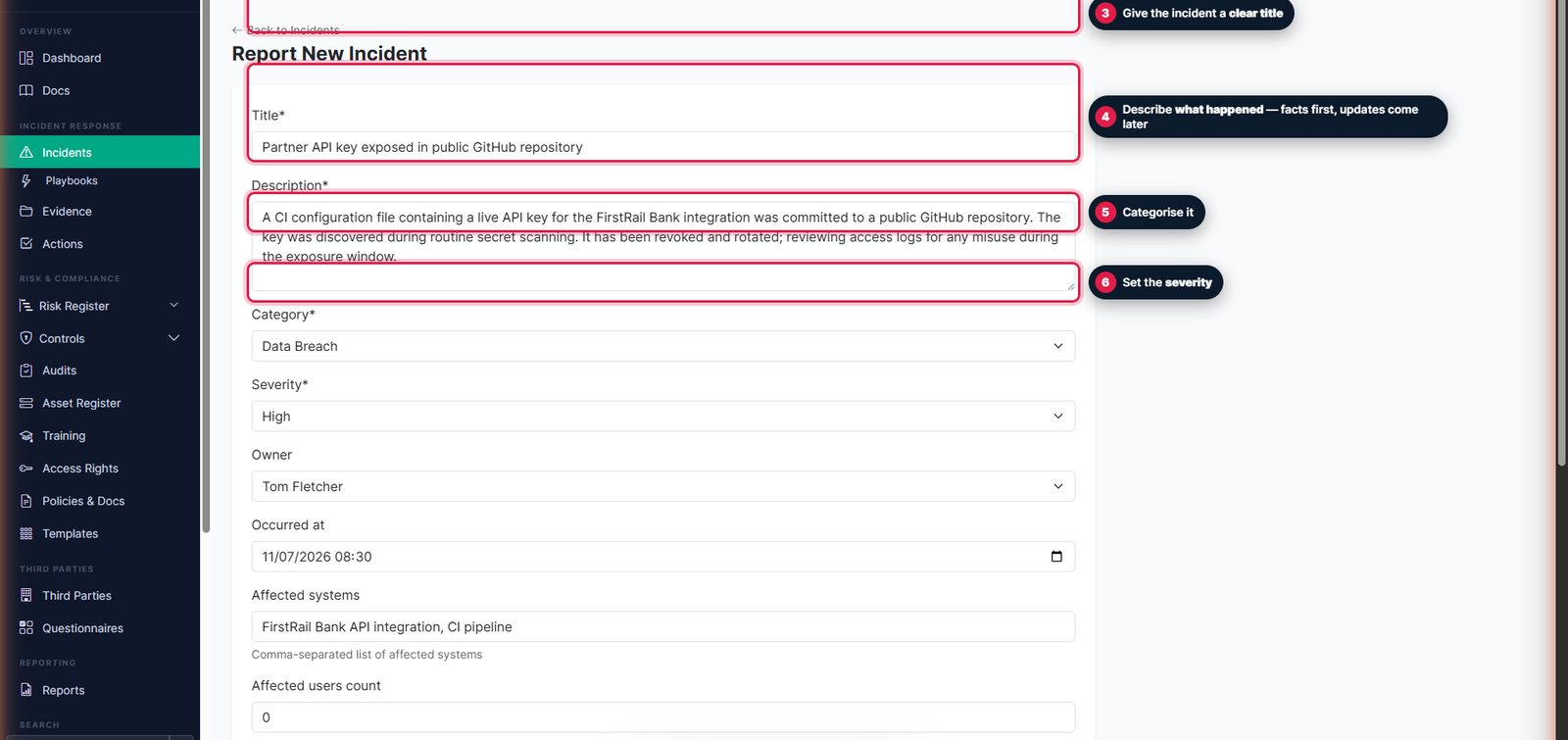
2. Describe and classify it
Capture a clear title and a factual description — updates come later on the timeline. Pick a category and set the severity.
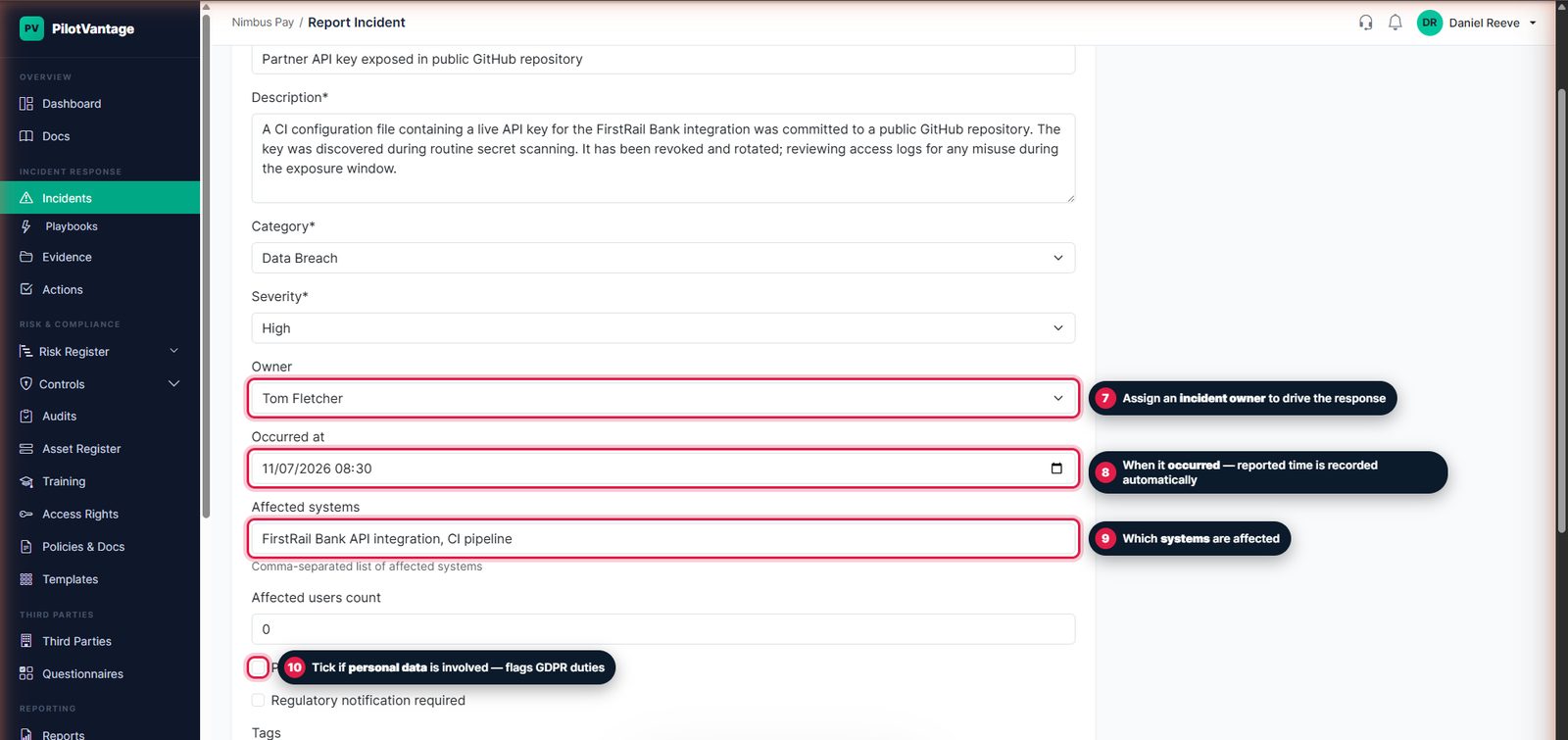
3. Assign an owner and add context
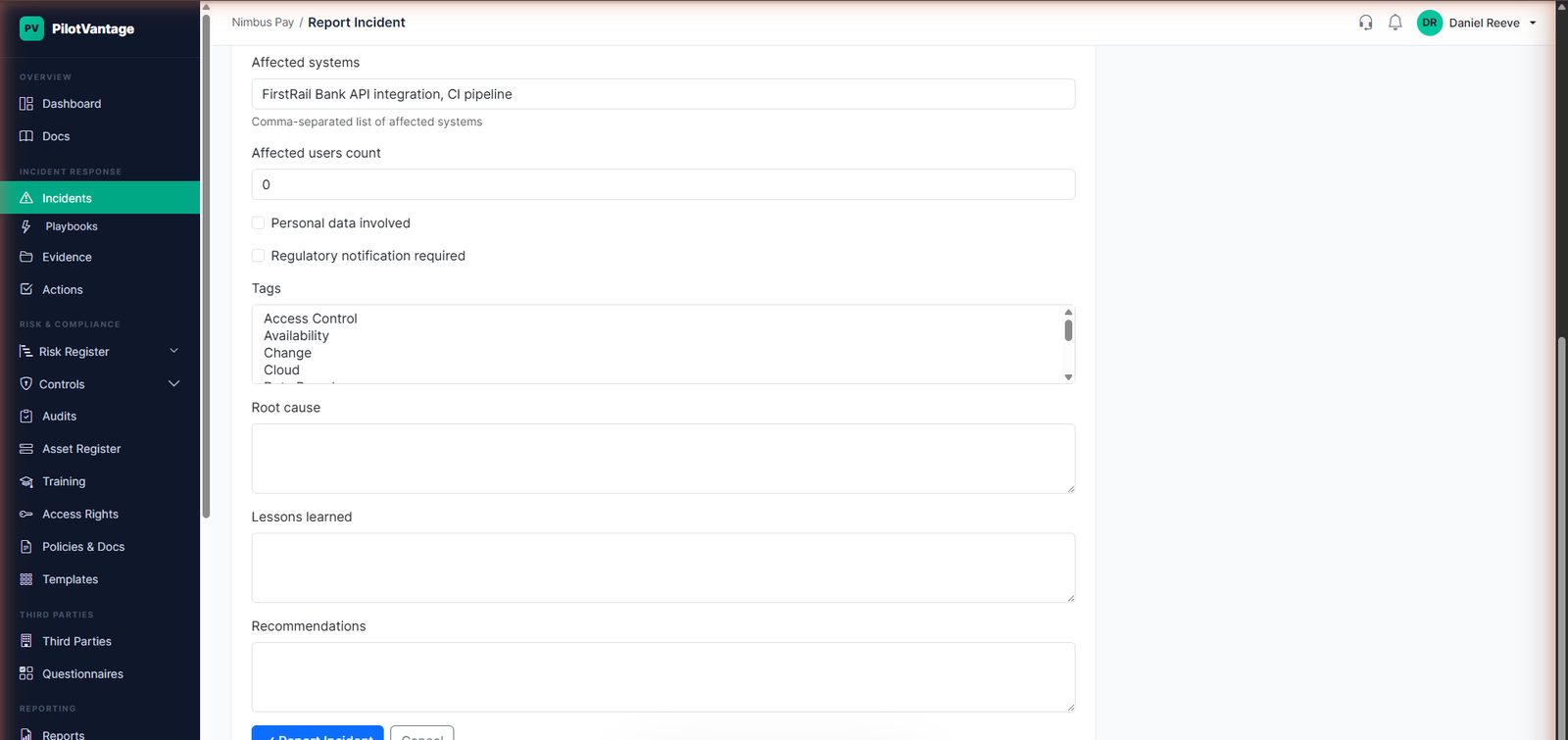
Give the incident an owner, record when it occurred, list the affected systems, and tick personal data involved if applicable — it flags your GDPR notification duties.
4. Report it
Click Report Incident. The incident is created in Reported status with an automatic reference.
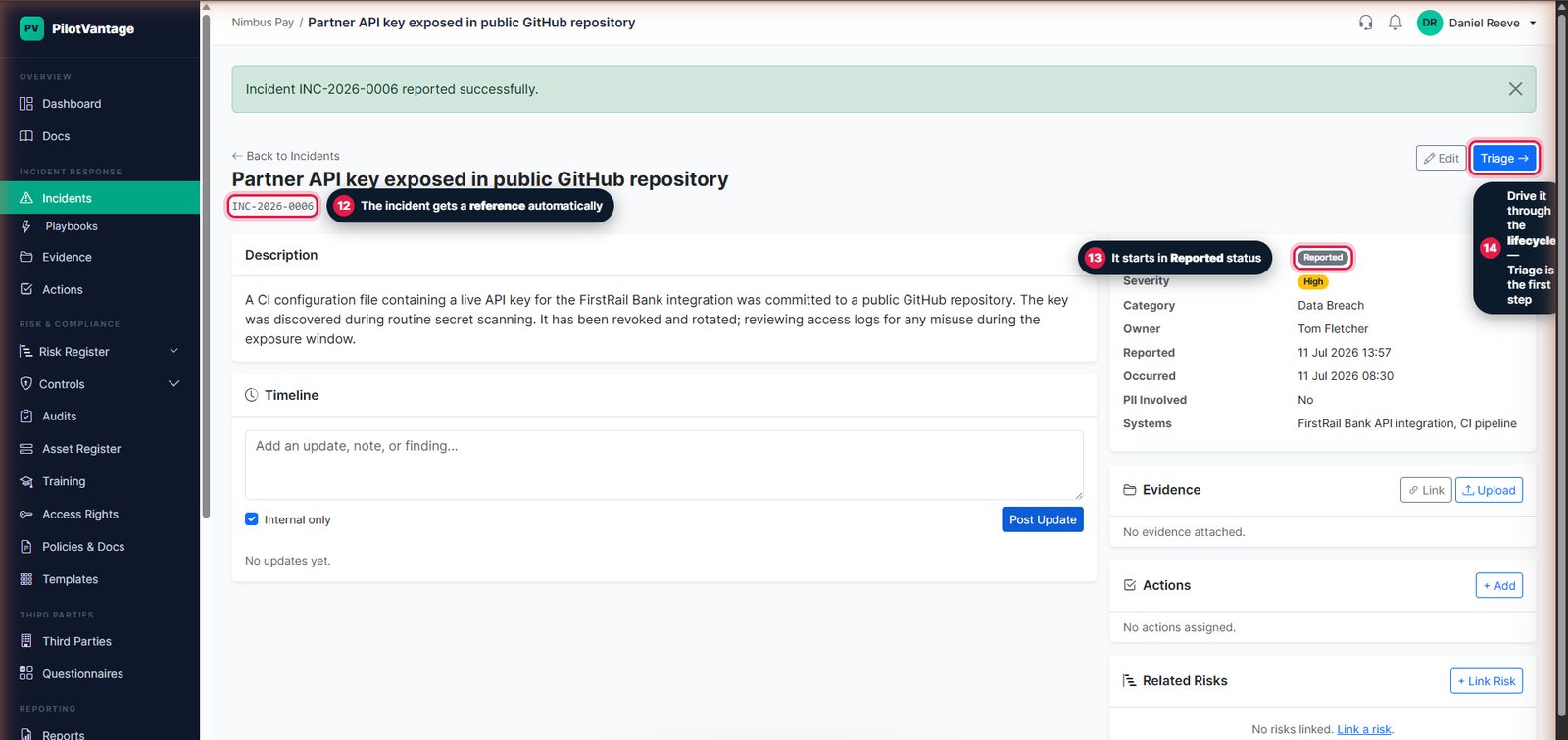
5. Drive it through the lifecycle
Advance the incident one step at a time — Triage, then investigation onwards. Every transition updates the status and is stamped on the activity log, and the next step is always one click away.
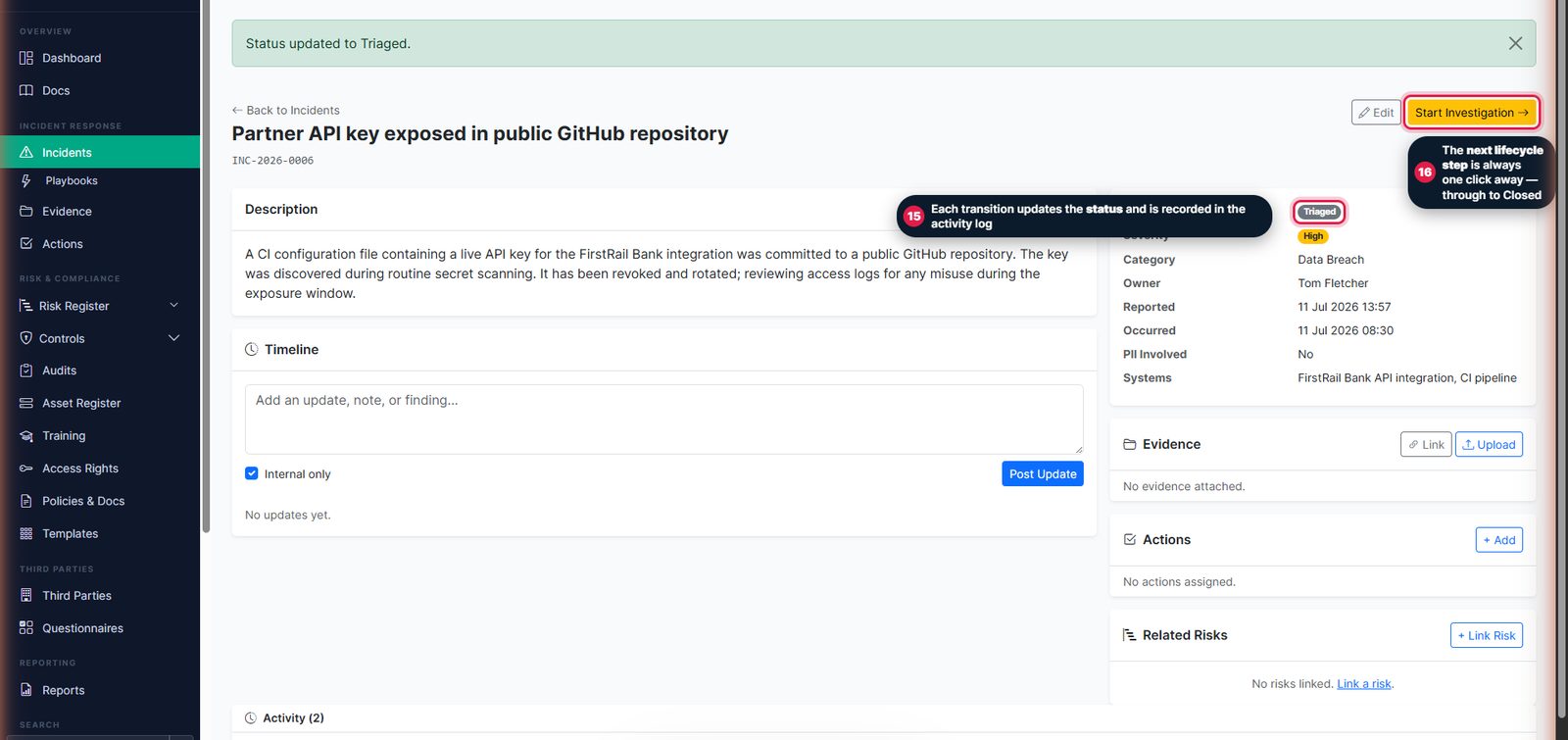
6. Work it to a close
Record updates on the timeline as you go, attach evidence, raise remediation actions, and link related risks. Once contained and remediated, move it to Resolved and then Closed.
Incident Response Playbooks
Alongside your incidents, PilotVantage gives you Incident Response Playbooks — step-by-step response guides for scenarios such as phishing, ransomware and data breach. Create a playbook from a built-in template, keep it beside your live incidents, and tag it to the relevant ISO controls so your response process is demonstrably in place.